All your wedding registries. One beautiful page.
Keep registering wherever you like, from Amazon and Bloomingdale’s to Eichlers and Waterdale. Your guests get one page with the real gifts, the prices, and what is still needed.
Free with SimchaMaker. No credit card. Already registered elsewhere? Just add your links.
Looking for a couple’s registry? Find it here.
Syncing real items from
A challah board and a KitchenAid, on the same page
This is what your guests open. Every store you registered at, merged into one list they can sort by price and filter by store.
Our Registry
simchamaker.com/registry/your-wedding

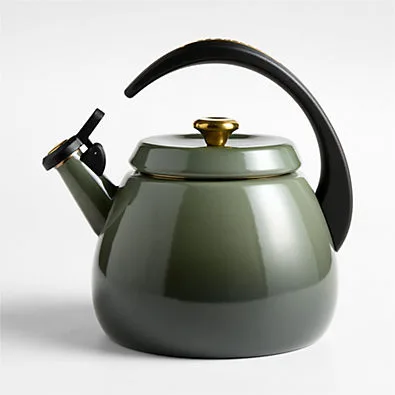
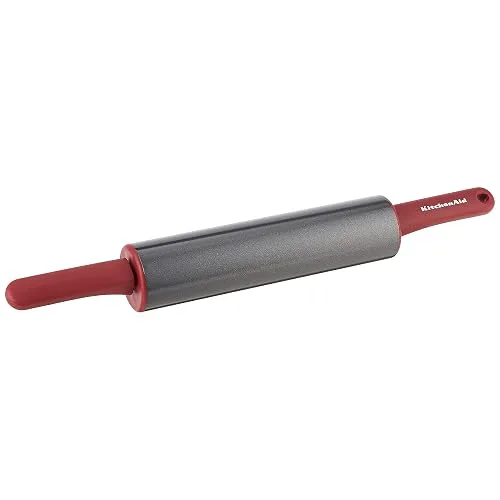
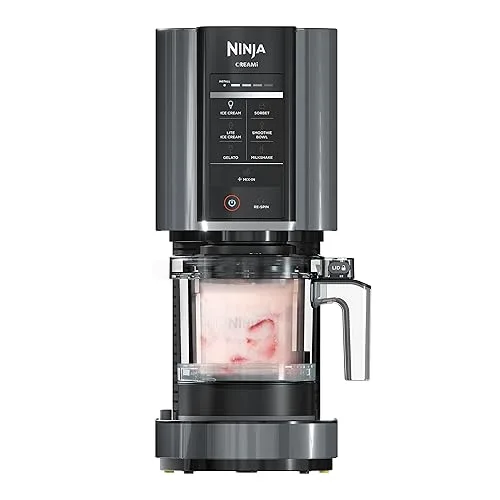 Purchased
An example page, built from real items across the seven stores that sync today. Yours shows whichever ones you use.
Four registry links, or one registry
Most registry sites show live items for the national chains and turn everyone else into a link. For a Jewish wedding, that is most of your list.
Everywhere else
Four links to go hunting in
- AmazonView registry ›
- EichlersView registry ›
- Waterdale CollectionView registry ›
- Bloomingdale'sView registry ›
Your guest opens each one separately, piecing together what you wanted and what is still available across four different sites.
With SimchaMaker
One list, with the actual gifts
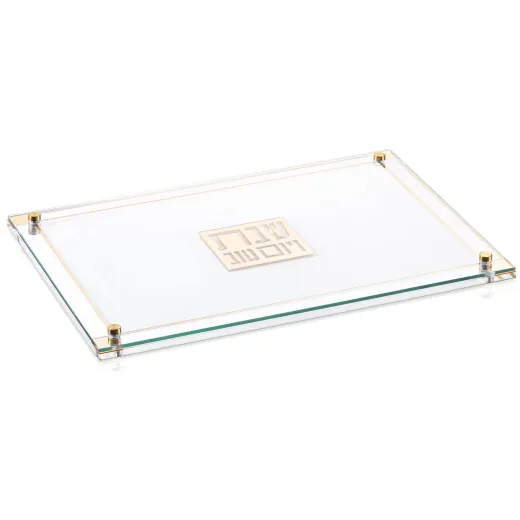
Classic 2.0 Challah Board, Gold
Waterdale Collection
$140
Needs 1
KitchenAid Artisan Stand Mixer, Blue Velvet
Williams Sonoma
$499.95
Needs 1
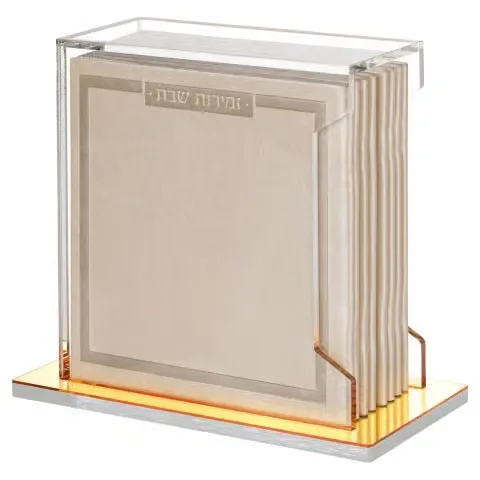
Acrylic Case with 8 Soft Leather Benchers, Gold
Eichlers
$99.99
Needs 1
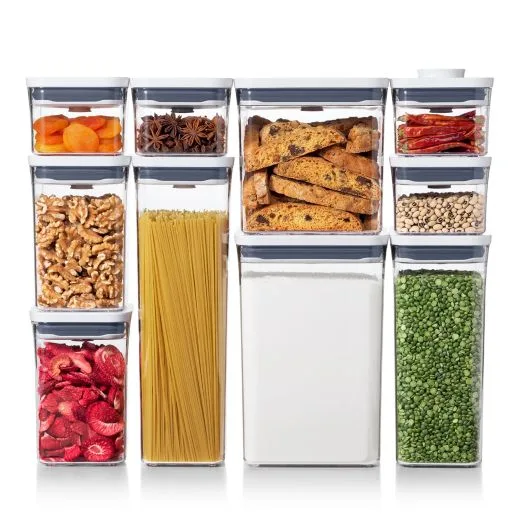
Good Grips 10-Piece POP Container Set
Bloomingdale's
$112.99
Needs 1
One link. Your guest can pick a gift before they leave your page.
Already registered? Perfect.
There is nothing to rebuild. Keep your registries exactly where they are, paste the links, and we bring the items together for your guests.
Register where you want
Your registries stay at the stores. We only read them.
Add a link, not a list
Paste the shareable link. The items come in on their own.
Change it any time
Add a gift at the store and your page picks it up.
Your guests never have to work out where you registered
One link, not four
Send one address. It works in a group chat, on a wedding card, or straight from your invitation.
The actual gifts
Photo and price for every item, sortable by price and filterable by store, so a guest can pick something before they leave your page.
What is still needed
Gifts bought at the store drop off on their own, and a guest who bought one in person can say so in a tap. The last four napkin rings do not turn into twelve.
Bought from the store, as usual
The buy button lands them on your registry at the store, which is what makes the store count it. No login, no app, no account.
These stores sync automatically
Register at any of these and your items appear on your page by themselves. Tap a store to start a registry there.
 Start a registry
 Start a registry
 Start a registry
 Start a registry
 Start a registry
 Start a registry
 Start a registry
Registered somewhere else? Add that too.
Any other store can be added as a link, and it sits on your page alongside the ones that sync. Plenty of Jewish shops run their registry through Shopify or MyRegistry, and both of those sync here as well. You can also add plain text for things that are not a store at all, like Zelle details.
Registered at a store we do not sync yet? Tell us which one. Every store above is here because a couple asked for it.
How it works
- 1
Register wherever you want
At the stores you already had in mind. Nothing about that changes.
- 2
Paste your links
We tell you straight away whether that store syncs, then fill in the items.
- 3
Share one page
A clean address for the group chat, and it links itself from your invitation.
Registry questions
Do I have to recreate my registry in SimchaMaker?
No. You keep registering at the stores you already want to use. You paste the shareable link from each registry into SimchaMaker, and we pull the items in. Nothing gets rebuilt by hand.
Can I use my existing Amazon, Eichlers or Waterdale registry?
Yes. Amazon, Bloomingdale’s, Crate & Barrel, Eichlers, On The Table, Waterdale Collection and Williams Sonoma all sync item by item. Stores running their registry through Shopify’s registry app or MyRegistry sync as well, which quietly covers many more shops.
Where do my guests actually buy the gift?
At the store. Every buy button sends the guest to your registry at that store, and the purchase happens there exactly as it would have without us. We never take a payment and we never hold a gift.
Do I still get the perks from the store’s own registry?
Yes, because the purchase is still a purchase on that store’s registry. Guests land on your registry at the store rather than on a bare product page, which is what lets the store count the gift against your list.
How do you know when something has been bought?
Two ways. Your page refreshes from each store a couple of times a day, so anything bought there drops off on its own. And a guest who bought a gift in person can mark it in one tap, which you can undo any time.
What if one of my stores does not sync?
Add it anyway. It appears as a store card your guests can click through to, sitting alongside the stores that do sync. You can also add plain text for things that are not a store at all, like Zelle details.
Can I add a store you do not support yet?
Yes, as a link, right away. And tell us about it: every store on this page is here because a couple asked for it, and the Jewish shops are the ones we most want to hear about.
Is the registry free?
Yes. Your registry page costs nothing, however many stores you add. Credits are only ever spent on sending invitations, reminders and thank-you cards.
Do I need to use SimchaMaker invitations to use the registry?
No. Your registry lives on a SimchaMaker event and goes live the moment you switch it on, whether or not you ever design an invitation. If you do send invitations with us, the registry links itself from them automatically.
Do my guests need an account?
No. Your registry is a public link with no login, no app and nothing to install. Share it from your invitation, in a group chat, or on a wedding card.
More answers in our full FAQ, or see how RSVP tracking and pricing work.
One beautiful registry. Every place you actually registered.
Free, however many stores you add. It sits alongside your invitation, RSVPs and thank-you cards whenever you want it to.
Create Your RegistryRegistry is free · No credit card required
As an Amazon Associate, SimchaMaker earns from qualifying purchases. Links to some other stores also earn us a commission, which never changes what a gift costs your guests.